Smart receipt-to-spreadsheet automation
- Tools used
- n8n, OpenAI, Google Drive, Google Sheets, Gmail
- Timeline
- 2 weeks
- Status
- Live
The brief
Turn the messy pile of receipts - PDFs, photos, forwarded emails - into a clean, always-current expense spreadsheet. No manual data entry, no lost receipts, no end-of-month scramble.
How I built it
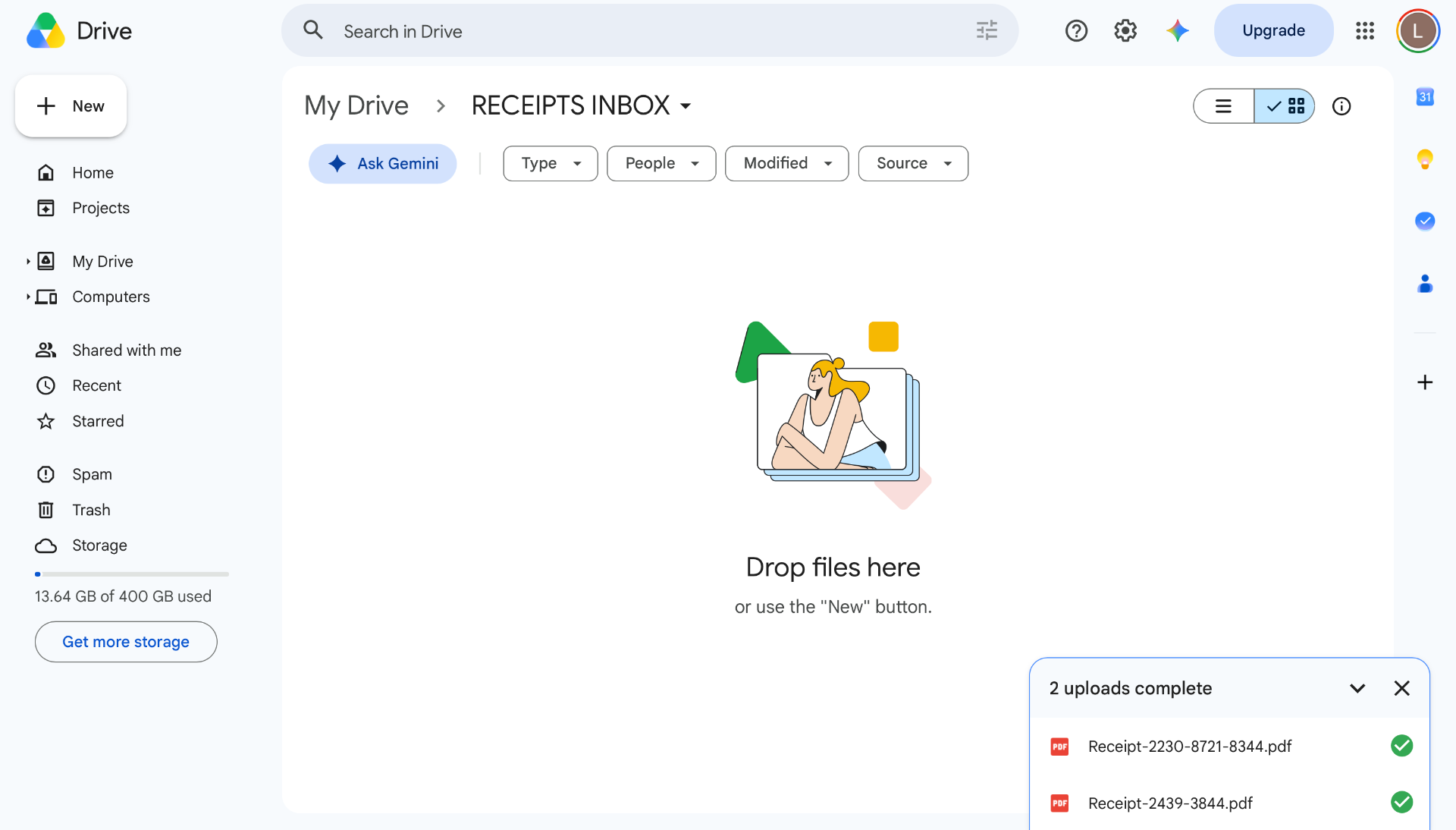
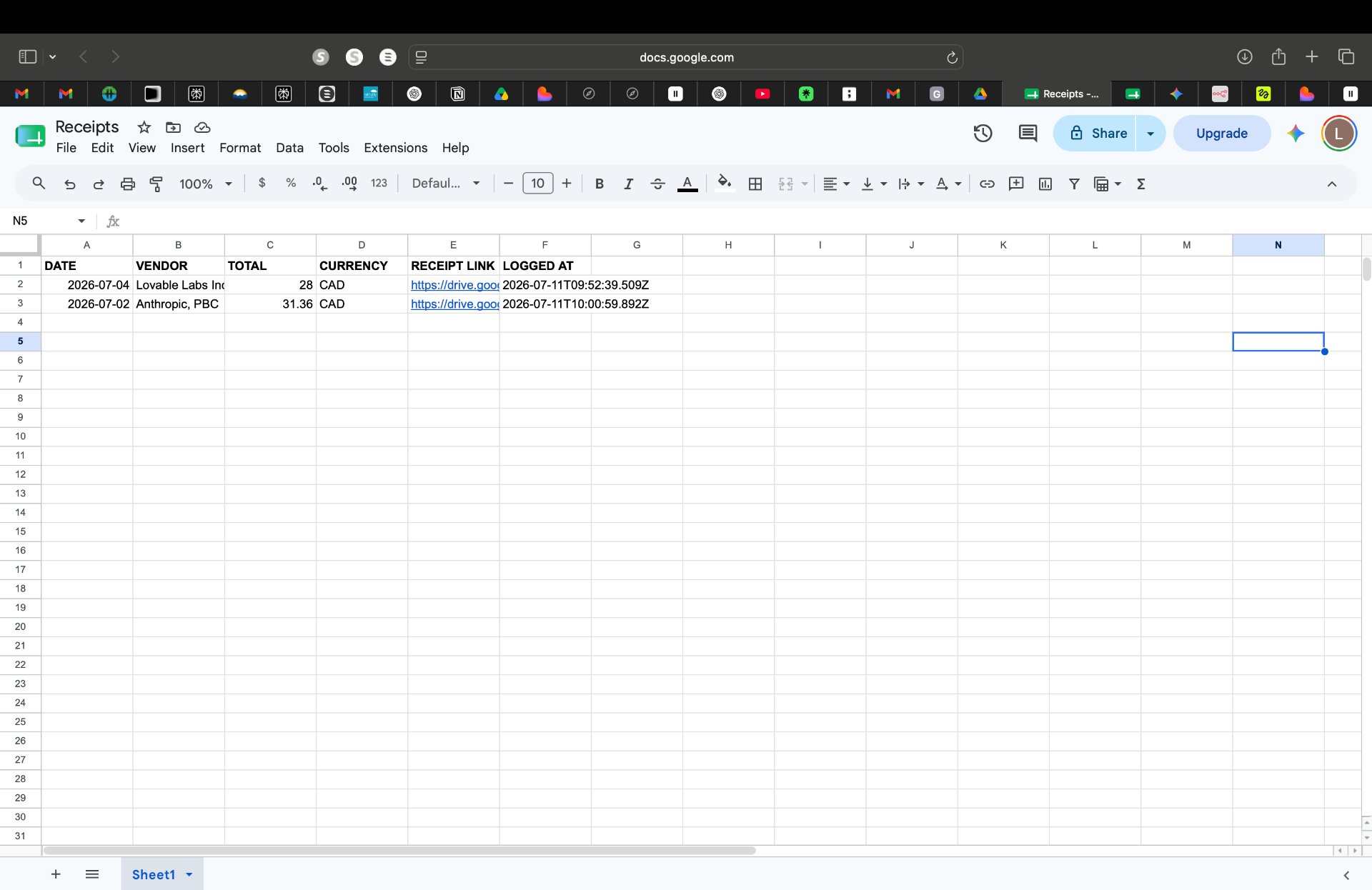
I built the workflow in n8n. A Google Drive folder acts as the inbox: drop any receipt in and the automation takes over. It detects whether the file is an image or a PDF, sends it to OpenAI to extract vendor, total, currency and date, validates the result, appends a row to a Google Sheet, emails a confirmation, and files the receipt in a "Processed" folder. Anything it can't read cleanly gets flagged in a separate "Needs attention" email so nothing silently fails.
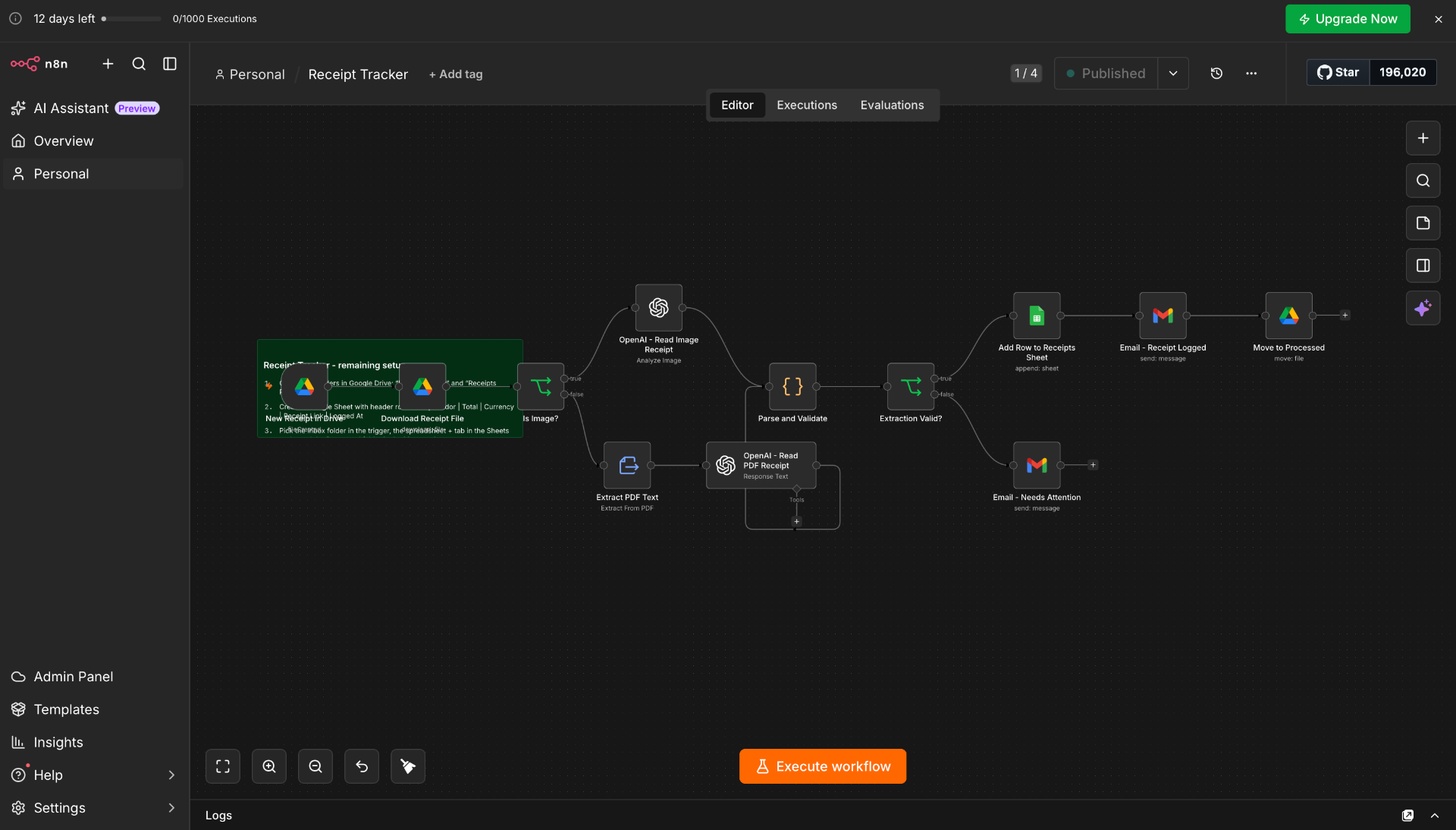
What it does: runs the full receipt-to-spreadsheet pipeline the moment a file lands in the inbox folder, so the expense sheet is always up to date.
What it saves: hours of manual data entry each month - and the copy-paste mistakes that come with tracking expenses by hand.
The result
A quiet, dependable automation that turns a chaotic receipts inbox into a precise, monitorable expense log - the kind of leverage every small team wants and almost none have set up yet.